Knowledge Base
What is ReqTwin?
What is ReqTwin?
ReqTwin ties requirements, ITP inspections, assets, and your programme schedule together as one cross-linked source of truth, so your project finishes with the paperwork to prove it. Everything lives inside a project (your organization can hold many), and every requirement, inspection, part, and milestone traces back to the others instead of drifting apart in separate spreadsheets.
What you can do here
Requirements: DOORS-style outlines with semantic similarity search.
ITP inspections: Pass/fail sign-off tied straight back to the spec.
BOM: Parts and sub-assemblies, with cost and quantity rollups.
Programme: Schedule and milestones, tied to ITP sign-off.
AI Insights: Ask free-text questions across a project, answered with cited sources.
The project overview
Each project opens on an overview page: a chart row summarizing requirement statuses, ITP results, programme burnup, and BOM value by procurement status, above the list of the project's documents. The sidebar on the left is the same everywhere in the app, one entry per document, so any register is one click away.
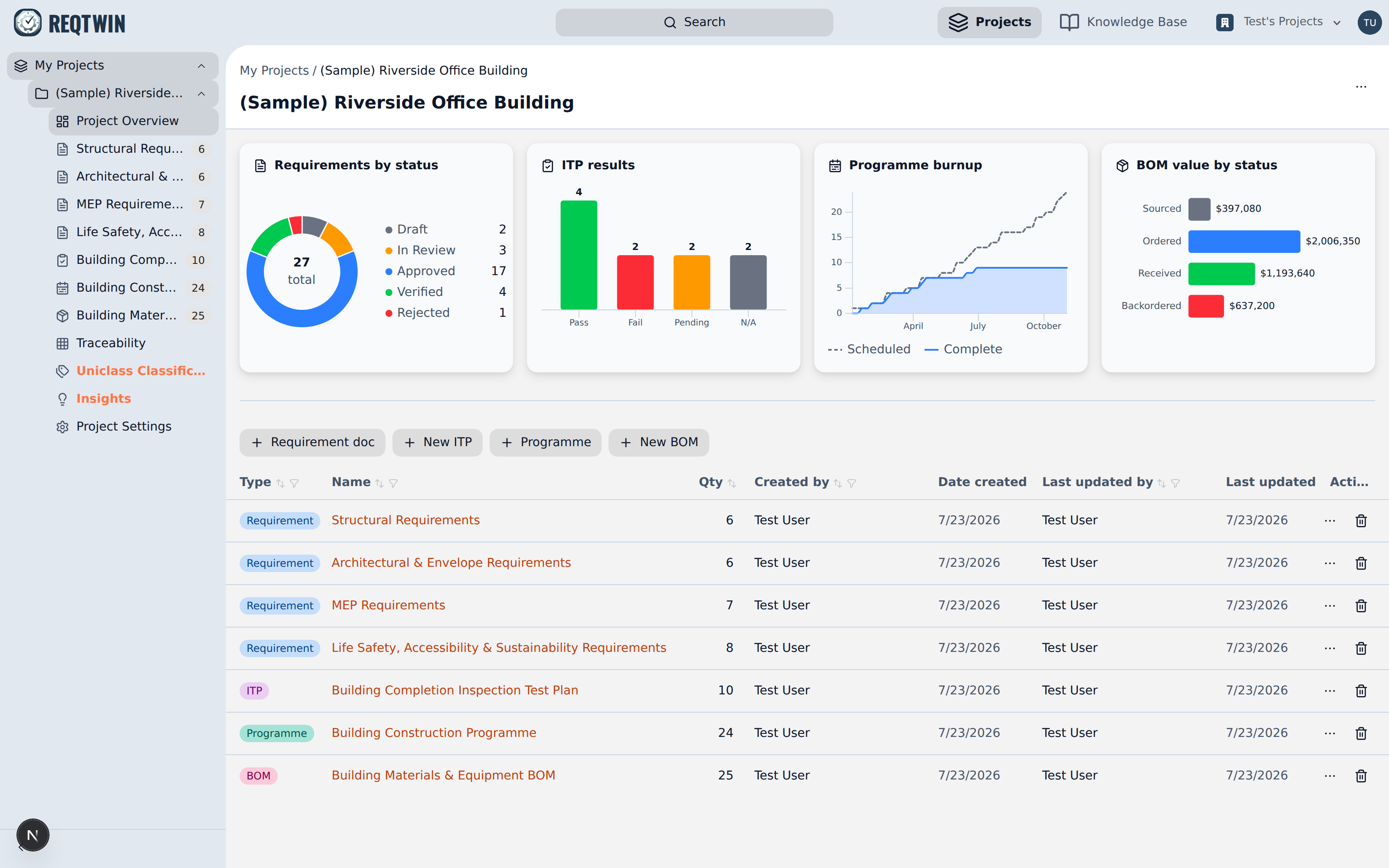
A project's overview page: status charts above the document list.
Pick an article from the list on the left to dig into a specific module.