Knowledge Base
The Rate Library
An organisation's own rate book
The Rate Library is reached from the top navigation, not from inside a project: it belongs to the organisation, so its rates carry between projects.
It holds two books, switched with the Cost rates and Programme rates views at the top of the page. A cost rate answers what a unit of work costs. A programme rate answers how fast the organisation gets through it. The two share a label and a unit and nothing else, which is why they are two views rather than one table with half its columns blank on every row.
Cost rates
Each entry is a label, a unit, a number and a currency.
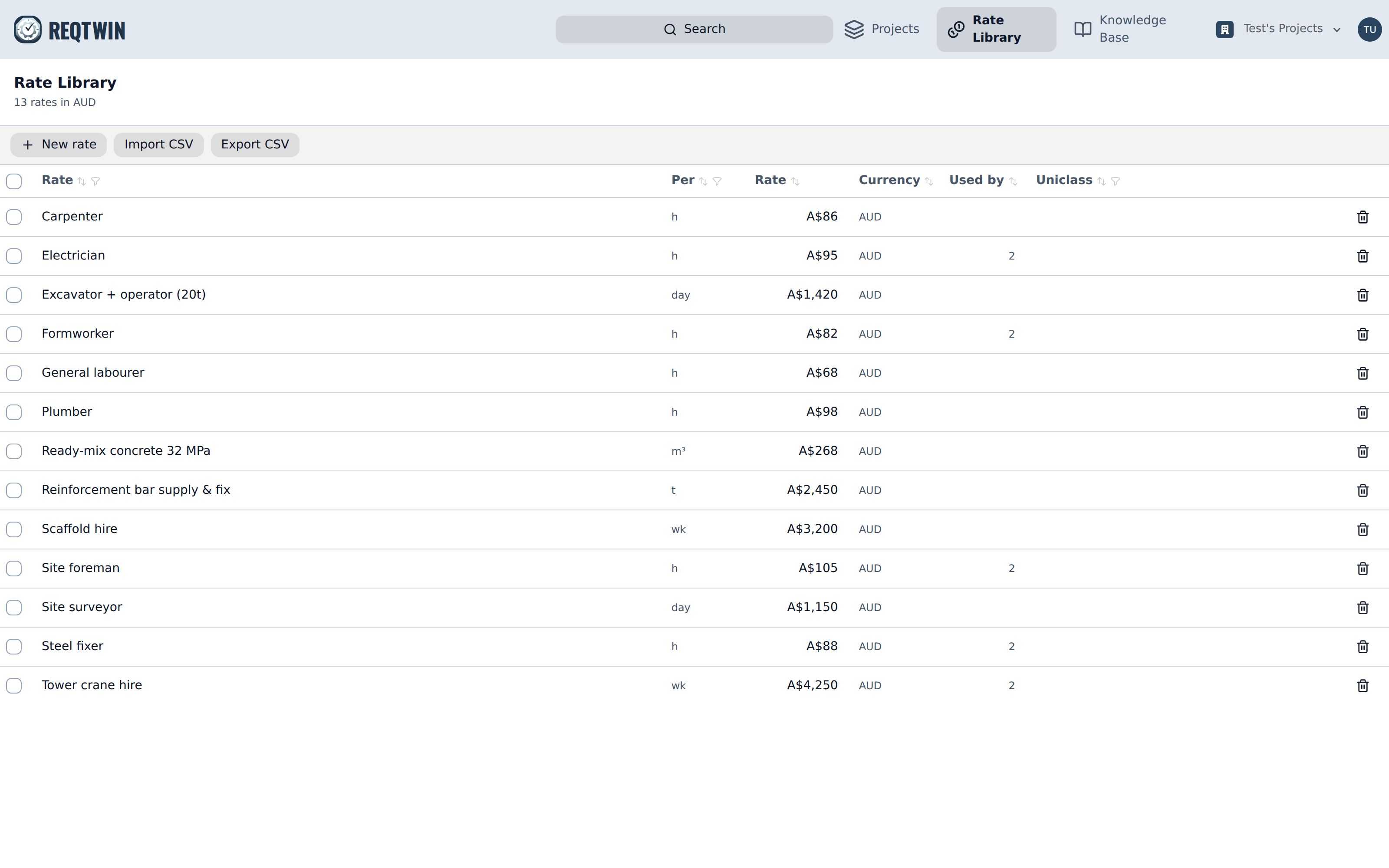
The Rate Library: label, unit, rate, currency, how many cost lines use it, and any Uniclass codes.
Used by counts the cost lines across the organisation priced from that rate, which is what makes removing one a considered act rather than a blind one.
What a cost entry carries
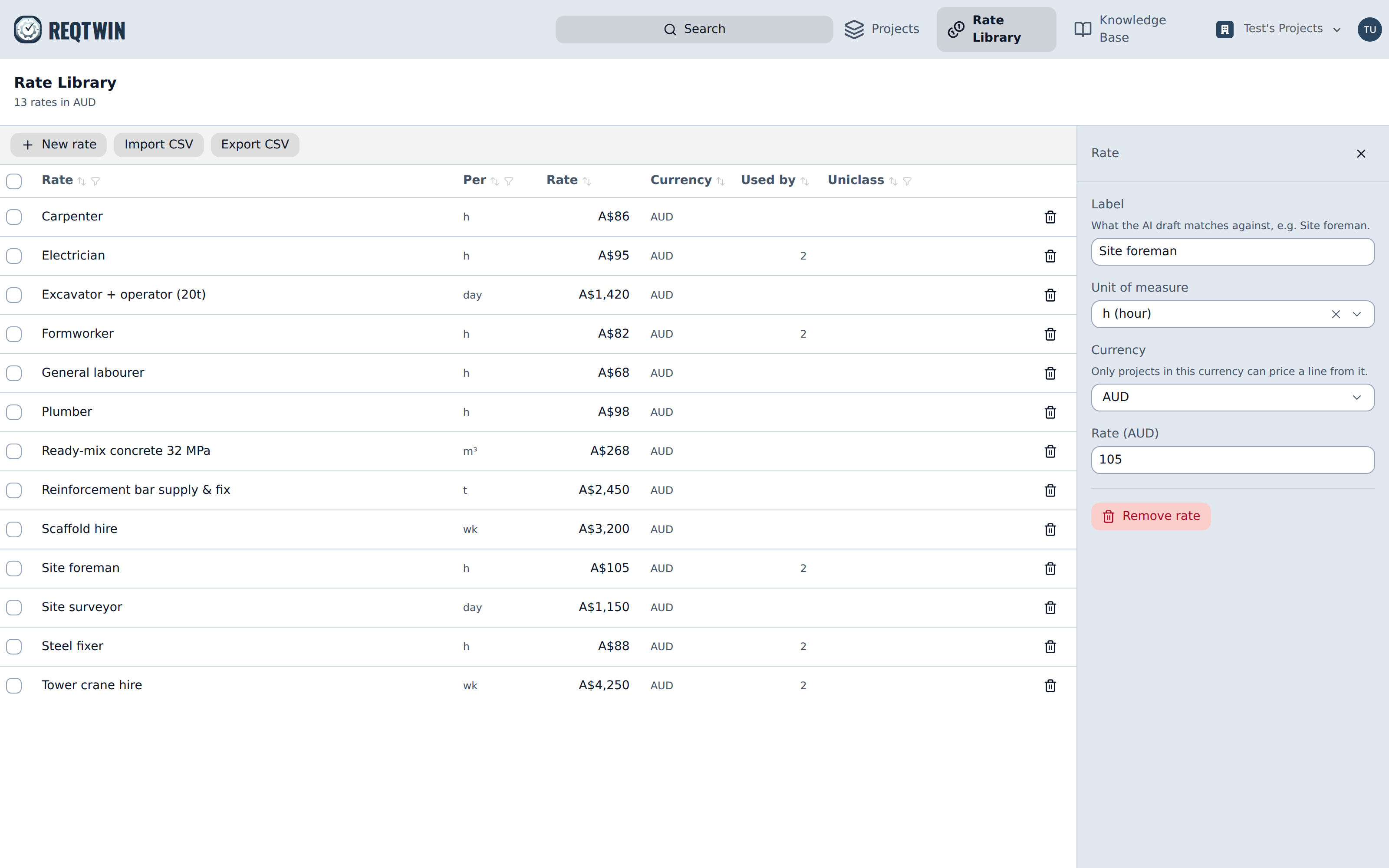
A rate's detail panel: label, unit of measure, currency and rate.
The label is what the AI draft matches against, so it reads best as the thing being priced ("Site foreman", "Ready-mix concrete 32 MPa"). The unit is required: a rate without one is meaningless. The currency scopes it, since only projects in that currency can price a line from it, and there is no currency conversion anywhere in cost control.
Pricing a line from the library
On a cost line's detail panel, Library rate picks an entry and copies its number onto the line, and the line's source reads Rate library from then on.
The number is a snapshot, not a live lookup. Editing a library entry afterwards moves nothing on lines already priced from it. This is deliberate, and the opposite of a BOM-linked line, whose amount is recomputed from the BOM on every read: library rates are organisation-wide defaults edited by admins on another page, often while somebody else's estimate is in front of a client, and an estimate that silently repriced itself between being sent and being opened is a worse failure than a stale one.
Growing the library from real work
A rate typed straight onto a cost line can be added to the library from that line's detail panel, with Add to rate library. The line then reads as priced from the new entry. This is the only way the library grows from estimating work rather than from the library page.
Programme rates
A programme rate is a label, a unit, an output, and the period that output is per: "Blockwork, 12 m² per day", "Panel install, 25 ea per hour", "Formwork, 60 m² per week". There is no currency on one, since a duration is a duration wherever the project runs.
An hourly rate also carries a shift length, the hours worked in a day, which is what turns an hourly output into a daily one. It sits on the rate rather than on the organisation so that a 10-hour plant shift and an 8-hour trade shift can both be right, and so the assumption is readable on the row that depends on it.
A weekly output is divided by the project's own working week at the moment it is used, so 60 m² per week is 12 m² a day on a Mon-Fri project and 10 on a six-day one (see "The Project Work Calendar"). Per-day and per-hour outputs are already daily figures and are taken as they stand.
Used by counts the activities across the organisation sized from that rate, the same way the cost view counts lines.
Sizing an activity from a rate
An activity's detail panel in the Programme register carries a Rate picker and a Quantity field. Pick the rate, say how much of it there is, and the duration follows: the quantity divided by the rate's output per working day, rounded up, never less than one day. The panel shows the arithmetic, so 2,100 m² against a rate of 85 m² per day reads back as the 25 days it produced.
A quantity can be entered in any unit that converts to the rate's own, so 800 L against a rate quoted per m³ is taken as 0.8 m³. A unit that does not convert, m² against a rate per m³, is refused rather than guessed at: a duration that looks sourced and is nonsense is worse than no duration at all.
The activity's duration then reads as coming from the Rate library. Clearing the rate returns it to Manual and keeps the number, so unlinking never silently moves a date.
Durations are snapshots, for the same reason cost lines are. Editing a programme rate afterwards moves nothing on activities already sized from it, and an activity may legitimately disagree with the rate it cites.
Import, export, removal
New rate adds one by hand, in whichever view is showing.
The cost view's Import CSV maps and previews a file of label, unit, rate, currency, uniclass_product_code and uniclass_system_code. The programme view's takes label, unit, output, period and hours_per_day, where period is one of hour, day or week and hours_per_day is only read for hourly rows. Export CSV writes the same shape back in both.
Remove rate archives an entry rather than deleting it, in both views. Work already priced or sized from it keeps its number and keeps reading as coming from the library; the entry simply cannot be picked again. If it is in use, the confirmation says how many lines or activities that is first.
Who can change it
Only organisation admins can add, edit, import or remove rates, in either view. Anyone who can edit a project can read both books, price cost lines from the one and size activities from the other, which is what makes a row's "Rate library" badge explainable to the people who did not set the number.