Knowledge Base
Baselines and Schedule Variance
What a baseline freezes
A baseline is a copy of the programme's dates, frozen under a name. Once taken it never changes, so it stays the answer to "what did we say we would do" no matter how much the live schedule moves afterwards.
Baseline in the Programme toolbar takes one. Name it after the event it records (the sample project's is "Contract award"), and the dialog tells you how many activities it is about to freeze.
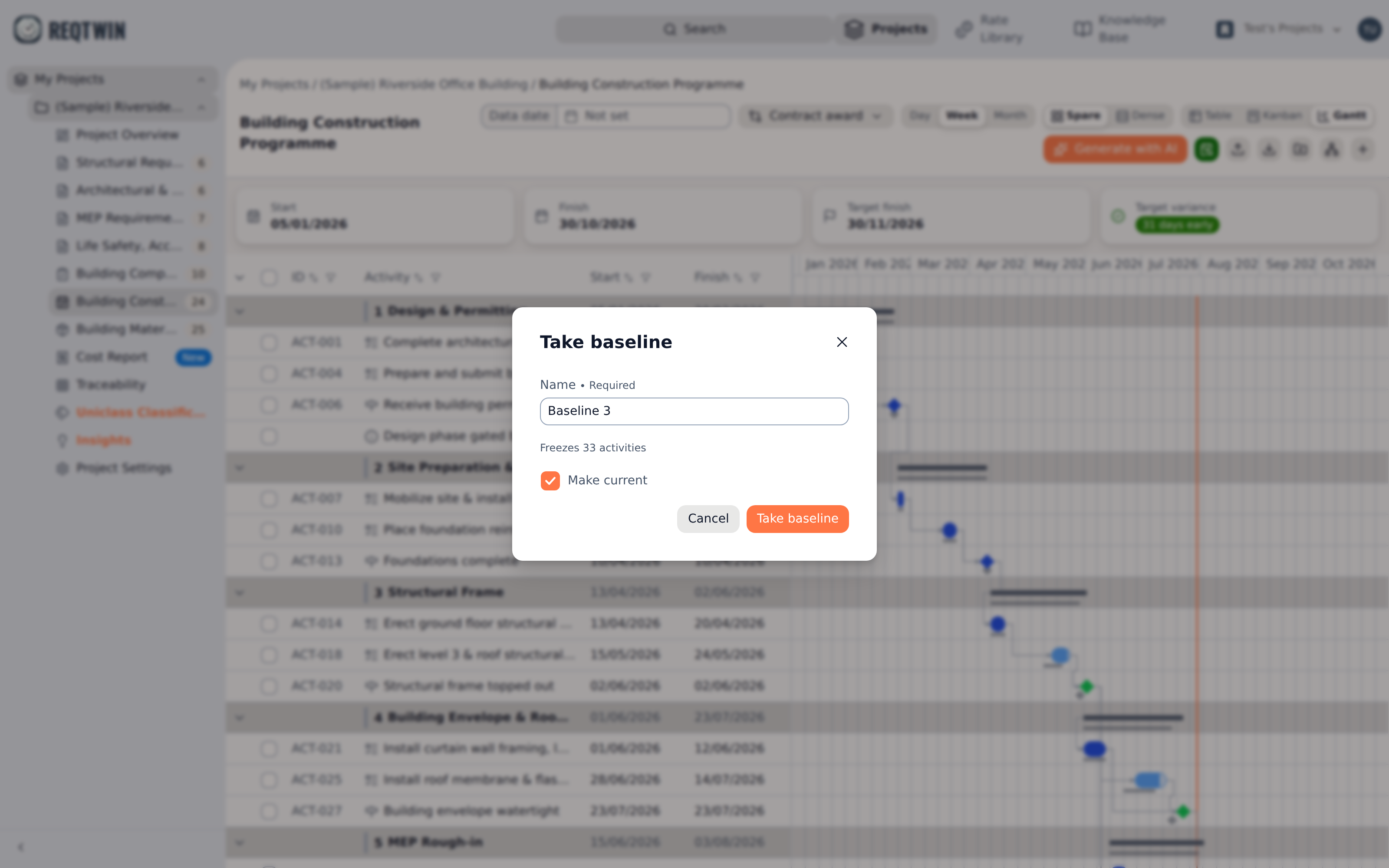
The Take baseline dialog: a name, the count of activities being frozen, and the Make current switch.
Make current decides whether this becomes the reference everyone on the project sees. Leave it off to keep a snapshot for your own comparison without moving the project's answer.
Only the dates are frozen. Percent complete, status, owner and dependencies are not, so a baseline says where work was planned, never how far along it was at the time.
Taking a baseline is an editor's action. Nothing about the live programme changes when you take one.
Reading variance on the Gantt
With a baseline in view the Gantt draws a thin ghost bar under every live bar. The gap between the two is the slip, at a glance and per row.
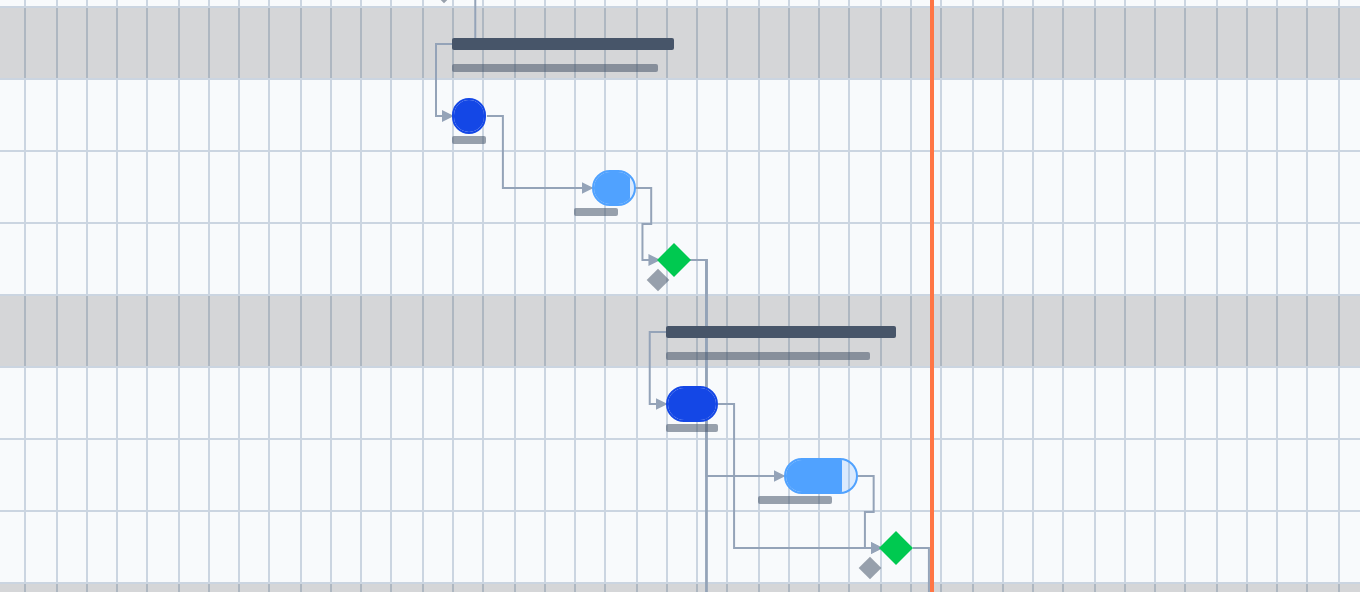
A live bar sitting to the right of its ghost baseline bar, and a milestone diamond beside its frozen diamond.
WBS elements get a ghost bar too, rolled up from their frozen children exactly as the live summary bar is rolled up from its live ones. A milestone gets a ghost diamond on the date it was frozen at.
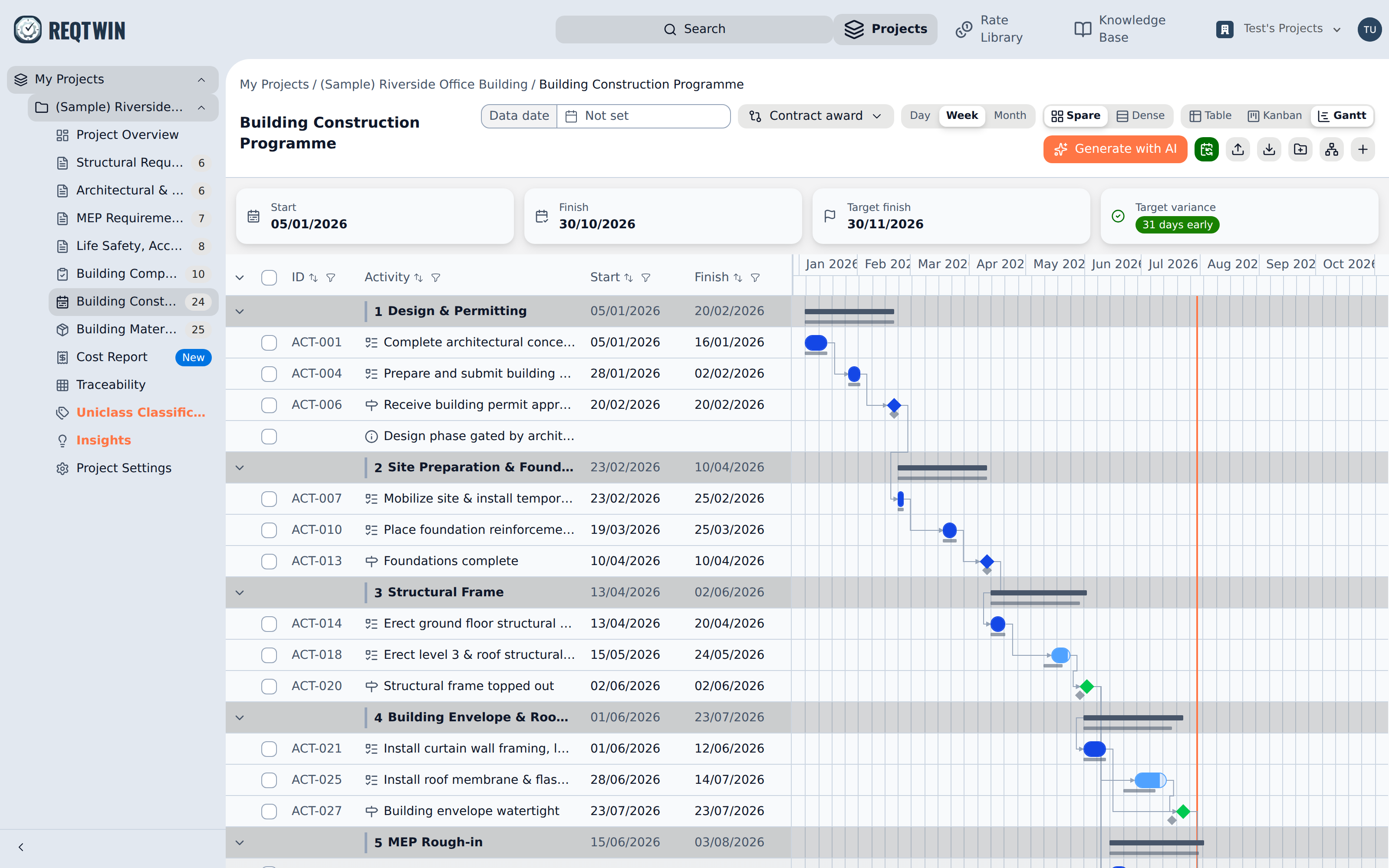
The Gantt with the "Contract award" baseline in view, ghost bars under the live ones.
Beside the bars, a Baseline variance column joins the left pane after Finish, carrying the same signed number the Table's Variance column does. It is there only while a baseline is in view.
How many activities are behind
The summary strip above the programme counts it for you. Behind baseline reads 3 of 24: three activities now finish later than the baseline in view, out of the twenty-four that baseline froze.
WBS elements are in neither number. A package's slip is its activities' slip, so counting both would report the same delay twice.
The card follows the picker, so switching to another baseline re-counts against that one.
The Variance column
Switch to Table and the same comparison reads as a signed number: the Variance column, in calendar days, measuring each activity's finish against its frozen finish. Negative is late and reads red, positive is days in hand and reads green, and 0d means it has not moved.
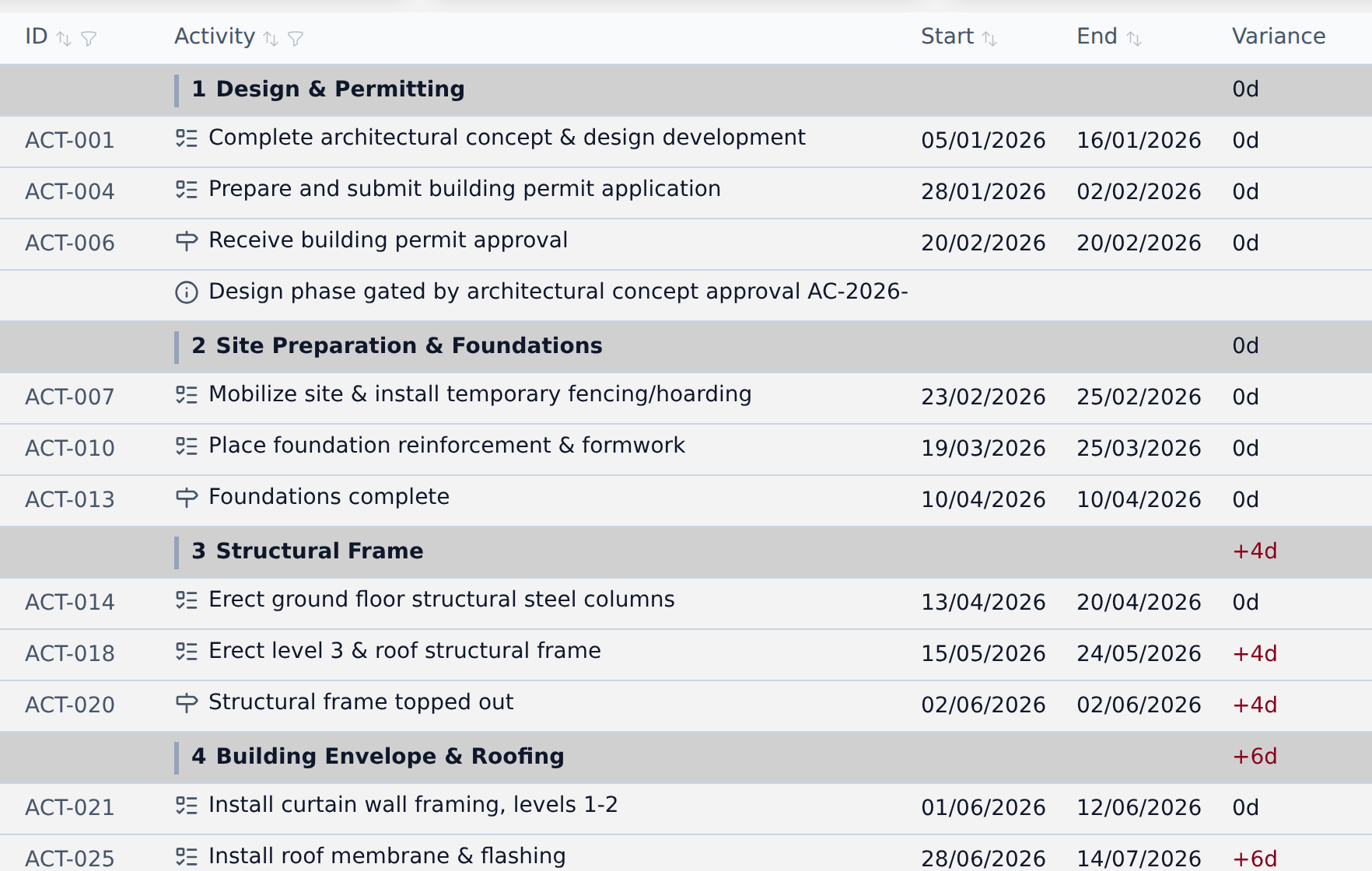
The Variance column beside the dates: 0d on the phases still on plan, -4d and -6d on the ones that have slipped.
The sign is float, not overrun: -4d is four days behind, +2d is two days early. It reads the opposite way round to the Cost Report's variance, where a positive number is money over budget.
A WBS element shows the slip of its whole branch, which is the figure worth reporting and the one the rows underneath do not give you at a glance.
Two rows read differently on purpose:
An activity added after the baseline was taken shows "New" rather than 0d, since scope that arrived later never had a frozen date to move away from.
An activity deleted since is reported as a count beside the baseline name ("N removed since"). Descoped work is not drawn as a phantom row, because the outline you are looking at is the one you edit.
Calendar days, not working days, even though a duration counts working days. A slip is how much later a date fell: a milestone that moved from Friday to Monday moved three days whether or not anyone worked the weekend.
Comparing against a different baseline
The Baseline control lists every baseline the document holds, in the order they were taken, with the current one marked. Pick another to compare against it, or None to turn the ghost bars and the Variance column off.
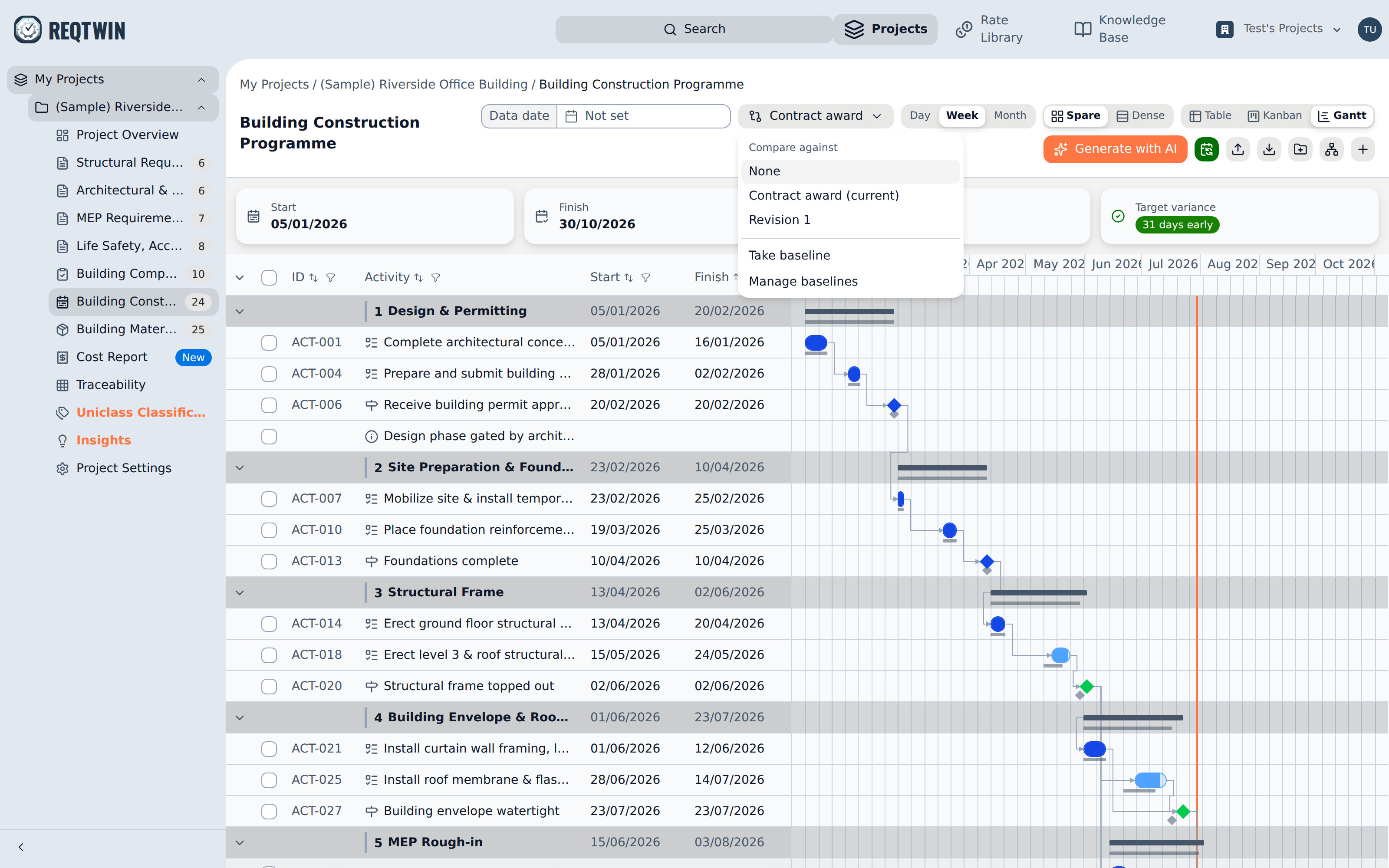
The Baseline menu: Compare against None or any baseline taken, plus Take and Manage.
Your choice lives in the page's address for the length of that view, so it survives a reload and can be shared as a link, without changing what anyone else on the project sees. Moving which baseline is current is the only thing that changes the shared answer.
Managing baselines
Manage baselines lists what the document holds, each with the date it was taken and the number of activities in it.
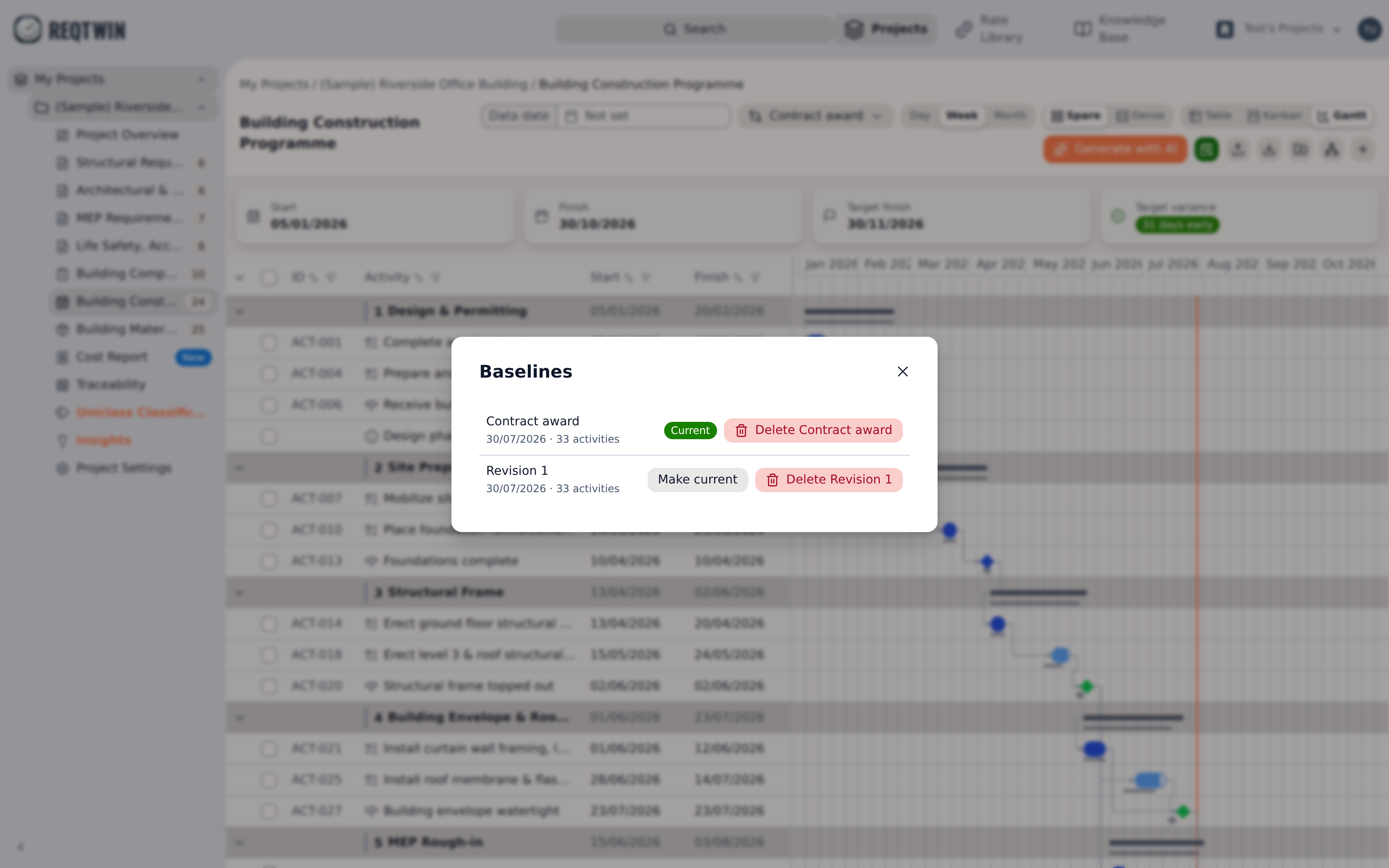
The Baselines dialog: "Contract award" marked Current, and a second baseline with Make current and Delete.
Make current moves the project-wide reference to another baseline. Delete removes one for good, along with the frozen rows in it. Both are admin-only, since they change what every reader is measured against.
What baselines don't do
They don't exist outside the Programme. Requirements, ITP and BOM have no baseline. The Cost Report has its own frozen reference, a Budget revision, which works differently and is documented separately.
They don't record progress. No frozen percent complete or status, so there is no earned value and no planned-versus-actual S-curve.
They don't diff dependencies. Only dates are compared. A predecessor added since the freeze shows up as movement in the dates, not as a change to the logic.
They don't move anything. Variance is read-only. Dates change in the detail panel or through Schedule, exactly as they do without a baseline.