Knowledge Base
Generating a Programme with AI
Before you start
The generator reads the project you point it at, so what it produces is only as good as what is already there. Two things are required:
A requirements document. This is what the breakdown is built from. Without one the generator stops and says so.
A project start date, set on the project's Settings page. Activities are generated with durations and dependencies but no dates, and the start date is what the Schedule action resolves them against. The Generate with AI button stays disabled until one is set.
A finish date is optional but worth setting. It gives the generator a window to size durations against, so the critical path lands near your real end date instead of wherever the estimates happen to fall.
The BOM and ITP registers are read too, if the project has them. They are where install effort and inspection waits come from, so a project with a populated BOM gets noticeably more grounded durations than one without.
The organisation's programme rates are read as well. They are what turns a BOM quantity into a duration instead of a guess, so a populated rate book is the single biggest thing you can do to the quality of the output (see "Durations from the rate book" below).
Generating
Generate with AI sits in the Programme toolbar, next to Schedule. It runs in two steps, and nothing is written to your programme until the last one.
First you pick how many activities the programme should hold: up to 25, 50, 100, or 150. This is an upper bound, not a target. Larger programmes take longer to generate and longer to review, and the dependency graph gets harder to check by eye, which is why 150 is the ceiling.
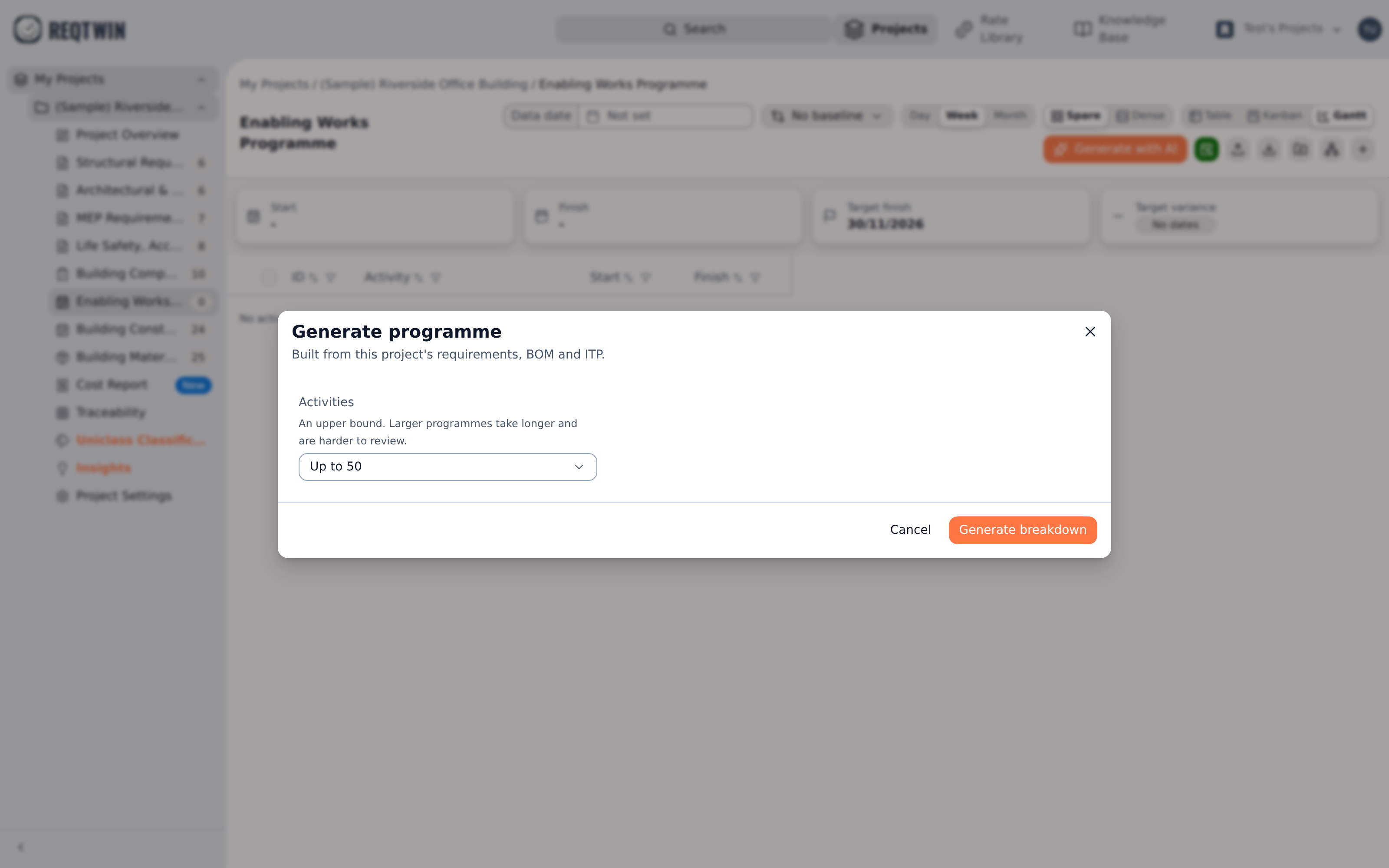
The generator's first screen: the activity ceiling, and a note that the draft is built from the project's requirements, BOM and ITP.
Step 1: the breakdown
The generator proposes a work breakdown structure: a flat list of the major work areas the project divides into, each with a one-line note on which requirements it covers.
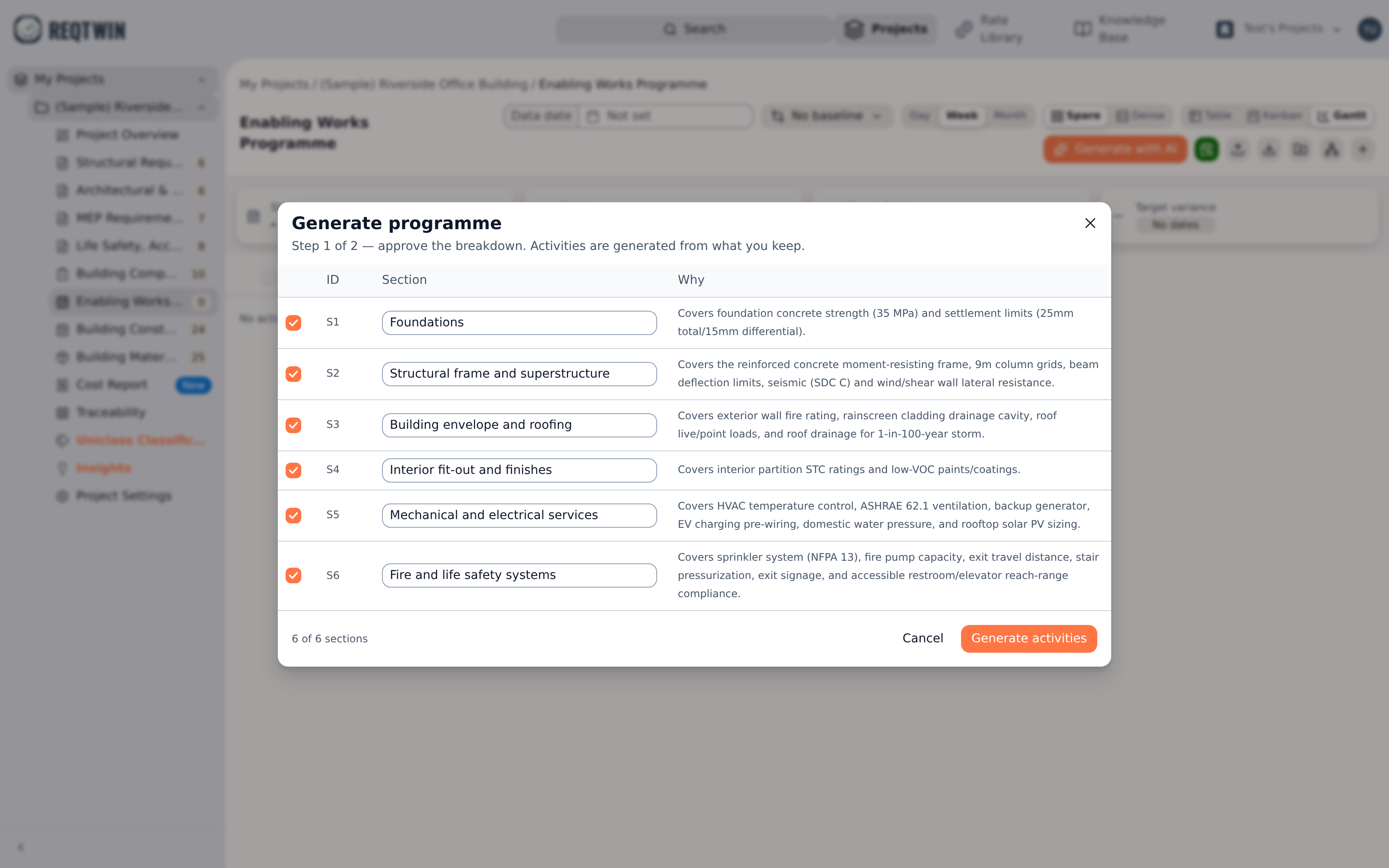
Step 1: six proposed sections, each editable inline, with the requirements each one covers beside it.
Review it before continuing. You can rename any section inline and untick any you don't want. This step is a real gate, not a preview: the activities have not been written yet, and the next step is given exactly the sections that survive. Unticking a section means no activity is ever generated under it.
Step 2: the activities
Approving the breakdown generates the activities themselves. Each one gets a title, a duration in working days, its predecessors, and a one-line rationale saying what the estimate was derived from.
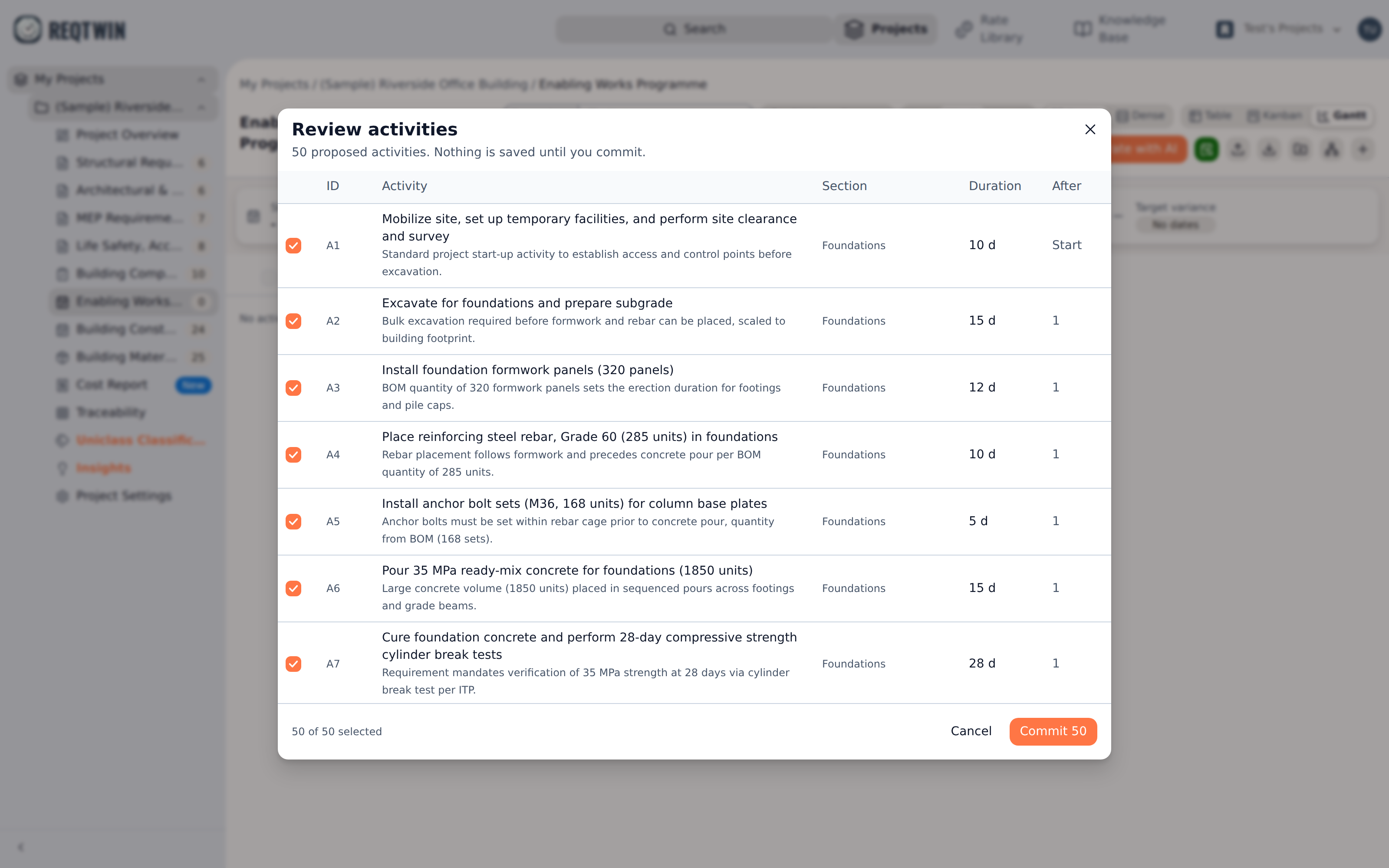
Step 2: the proposed activities with the section each sits under, its duration, how many predecessors it waits on, and why the estimate is what it is.
Tick and untick individual rows, then commit. Committing only ever inserts. Nothing already in the programme is edited or deleted, so running the generator on a programme that already has content adds to it rather than replacing it.
Durations from the rate book
The organisation's programme rates go into the brief for step 2 (see "The Rate Library"). Where a piece of work matches one of them and the BOM gives a quantity to put against it, the generator names the rate instead of estimating, and the duration stops being a guess.
What it names is used; what it calculates is not. The server re-reads that rate from the library, converts the quantity into the rate's own unit if it needs to, and does the division itself: quantity divided by output per working day, rounded up, never less than a day. The model's own figure is discarded, so a rate-sourced duration is the library's arithmetic rather than the model's.
Two things send a row back to being an estimate: no rate close enough to name, and a quantity in a unit that cannot convert to the rate's (m² against a rate quoted per m³). Neither fails the row or the run. It keeps the model's own number and reads as AI estimate, the same as every activity the rate book has nothing to say about.
Committed rows remember where the number came from: Rate library or AI estimate, and for a rate-sourced row, which rate, what quantity, and the rationale. That rationale used to be shown in the review step and then thrown away; it is now kept on the activity, so a programme can still explain itself weeks later.
A duration sourced this way is a snapshot taken at commit. Editing the library rate afterwards moves nothing already committed, exactly as it works for cost lines.
Dependencies
The generator writes the dependency graph, not the dates. Every activity gets the predecessors it genuinely waits on, and work that can start immediately gets none.
Two things are checked before the draft reaches you:
Circular dependencies are removed. A loop (A waits on B, B waits on A) would make Schedule silently skip part of the programme, so any edge that closes one is cut. The activities themselves are kept, only the bad ordering claim goes.
Unresolvable references are dropped, for example a predecessor naming something that didn't make the final list.
If either happened, the review step tells you how many. Both are worth a look: an activity that lost its predecessor now starts at the beginning of the project rather than where it belongs.
After committing
The new activities have durations and dependencies but no dates yet. Press Schedule to date them. The forward pass starts anything without a predecessor on the project start date, or on the first working day after it, and walks the graph from there, exactly as it does for a programme you built by hand. Durations are spread across the project's own working week, so nothing lands on a day the project does not work (see "The Project Work Calendar").
From there the programme is ordinary content. Edit durations, drag rows into different WBS elements, add predecessors the generator missed, and press Schedule again to propagate.
What it won't do
It won't set owners, statuses, or percent complete. A generated programme is all future work.
It won't write dates directly. Dates are always derived by Schedule, so they can't contradict the dependencies.
It won't invent scope. Every section and activity has to be implied by a requirement, BOM item, or ITP item.
It won't touch anything already in the programme.
Limits
Generating is metered per billing cycle, and each of the two steps counts as one. You get 20 steps per cycle, so 10 complete runs. Abandoning after the breakdown still spends that step, since the work has already been done. A step that fails on our side is refunded automatically.
The generator needs a Professional or Team plan.