Knowledge Base
Managing Parts in the Bill of Materials
Parts, sub-assemblies, and rollups
A BOM document is a parts list: heading rows organize it into sections, and item rows carry part number, quantity, unit of measure, supplier, unit cost, and revision. Unlike Requirements, ITP, and Programme, a BOM item row can also nest under another item row, modeling a sub-assembly built from smaller parts, to any depth.
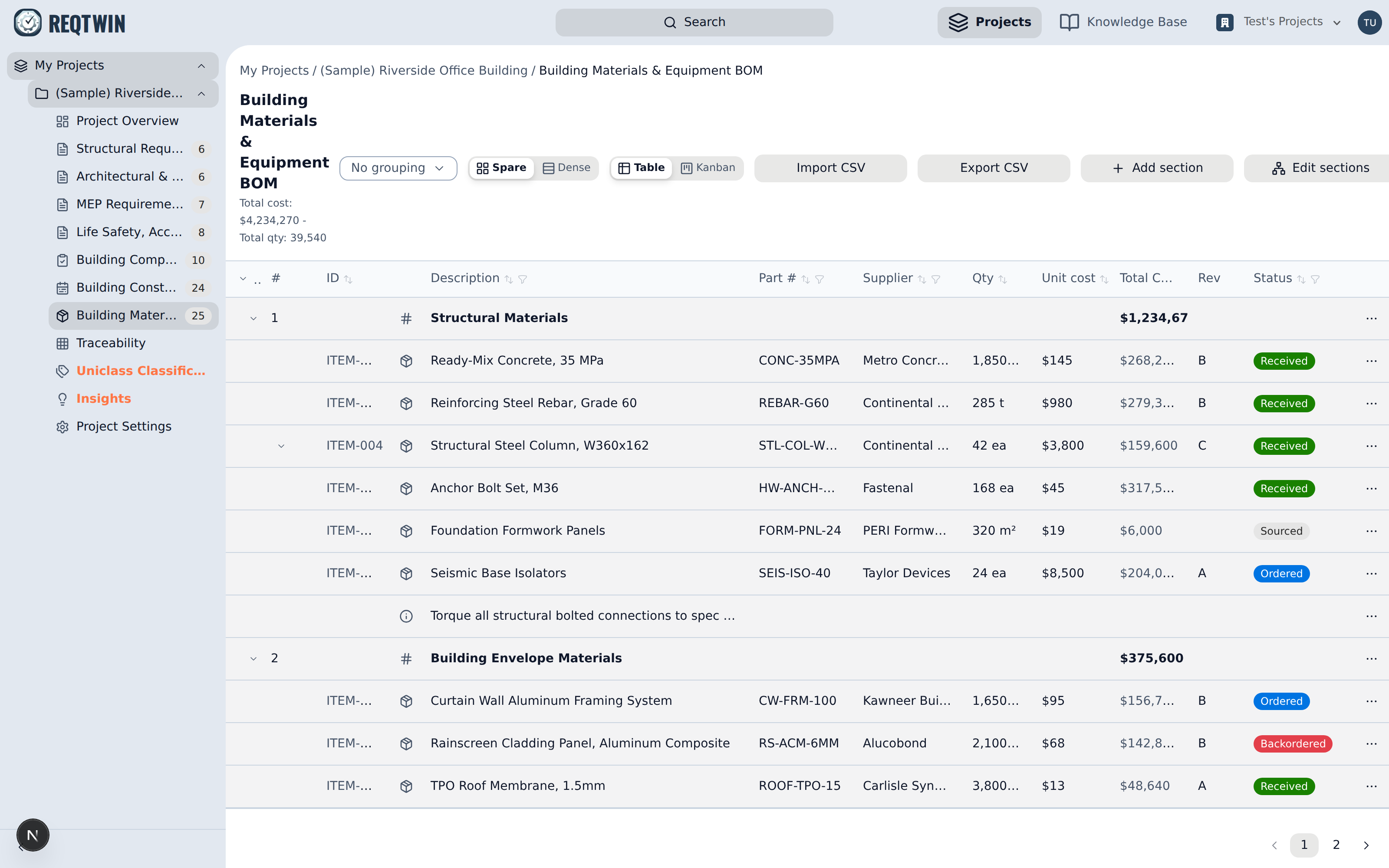
A BOM register: part numbers, suppliers, quantities, unit costs, and per-section cost totals.
This item-under-item nesting is separate from section nesting. Sections (heading rows) can also nest under other sections, to any depth, via the Edit sections canvas (drag one section onto another to nest it). That's for reorganizing the document's outline, not for modeling sub-assemblies. Use the Part Parent picker on an item's detail panel for that instead. See "Nesting Sections with the Section Editor" for the section-nesting workflow.
Quantity and cost roll up through that nesting automatically: a row's rolled-up total is its own value multiplied by every ancestor item's value above it, all the way up the chain. Nothing is stored pre-multiplied. Rollups are computed live, so editing a parent's quantity updates every descendant's total immediately.
Procurement status
Each item tracks a procurement status (Sourced, Ordered, Received, or Backordered) independent of quantity or cost, so you can see what's still on order at a glance without leaving the table.
Linking to requirements, ITP items, and programme activities
A BOM item can link to the requirement it fulfills (typed as satisfies, verifies, derives from, or relates to, the same relationship types the Requirements register uses for trace links), the ITP item that inspects it, and the programme activity ("task") that installs or procures it. Every link can be created from either side. Add it from the BOM item's own detail panel, or from the linked Requirement's "BOM coverage", ITP item's "BOM items", or programme activity's "Related BOM items" section. It's the same underlying link, just addable and removable from wherever you're already looking.
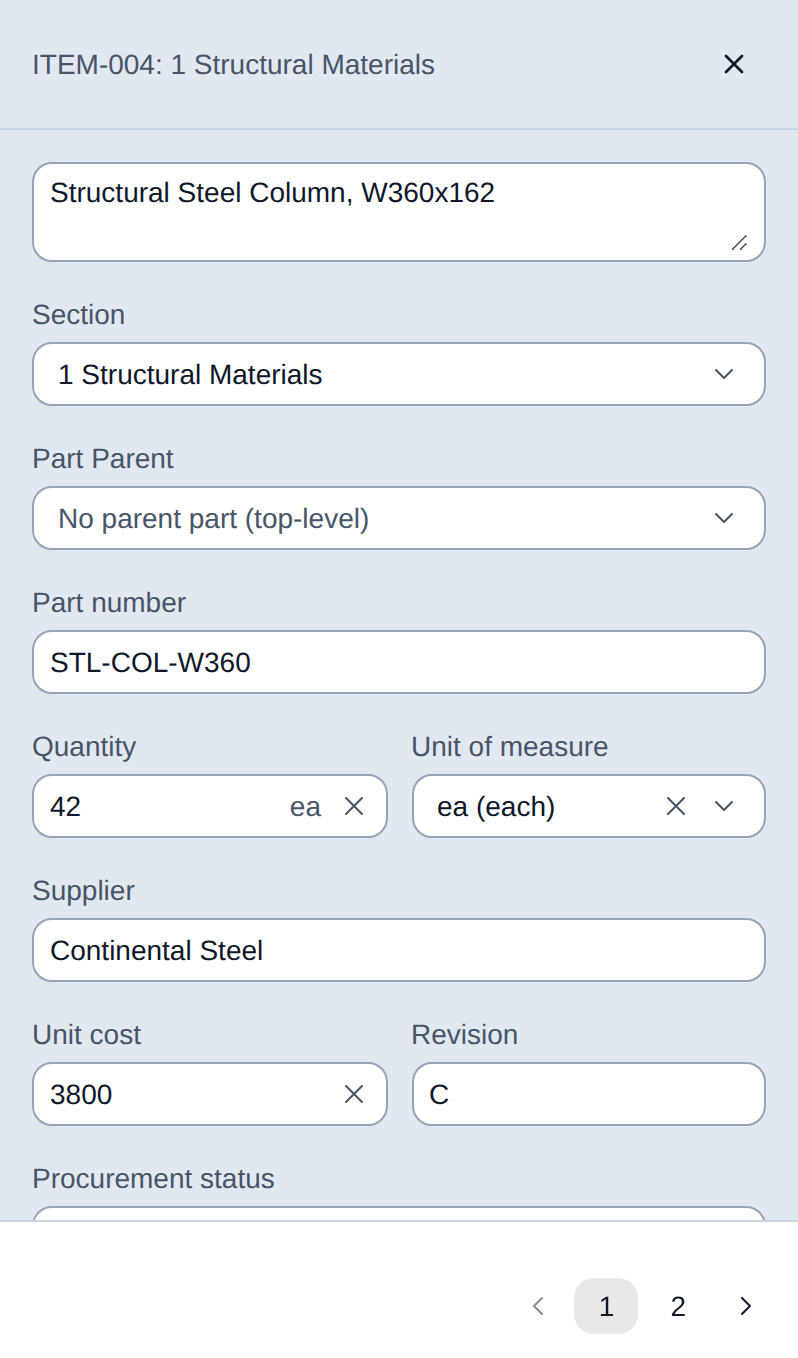
A BOM item's detail panel: part number, quantity and unit, supplier, cost, revision, and procurement status, with its links to the other registers below.
History and importing a parts list
Every field edit on a BOM item is logged to its History panel, the same audit trail Requirements keeps. Import CSV / Export CSV round-trip a full parts list, including sub-assembly nesting, through a spreadsheet. An export's id and parent_csv_id columns hold the reference ids from the register's ID column, not internal database ids.