Knowledge Base
Finding Related Content
Match percentages
Wherever ReqTwin surfaces related rows, each one is shown with a match percentage next to it (for example, "82% match"), ranking the closest matches first. Matching goes by meaning, not just shared words, so a related requirement, ITP item, or BOM part can still surface even when it doesn't use any of the same wording as the one you're looking at.
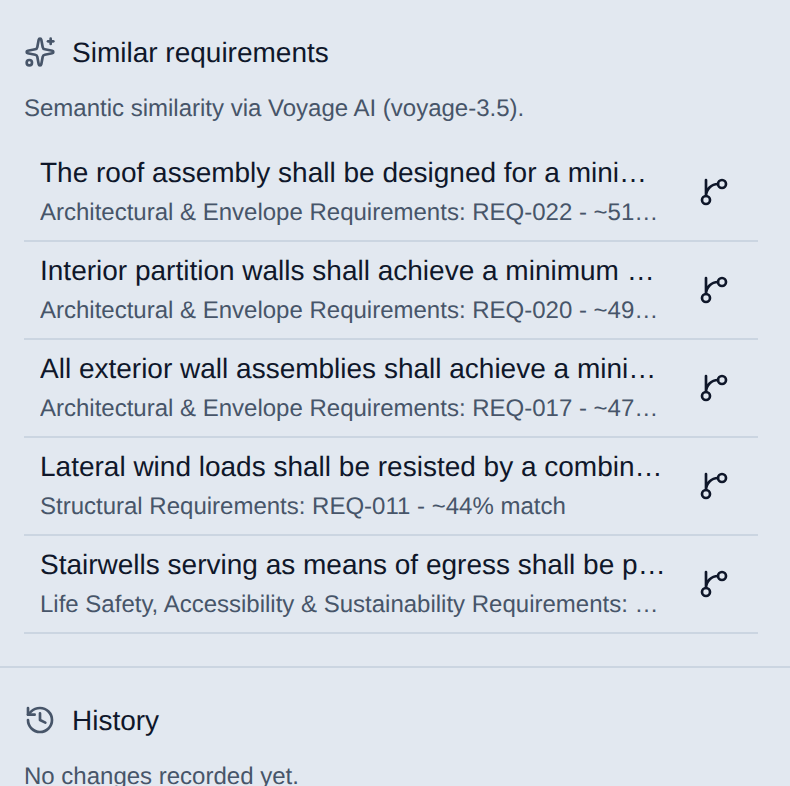
The Similar requirements panel: every row ranked against the requirement you're viewing, closest first.
Where it shows up
AI Insights panel answers free-text questions using the project's own rows and ranks the one-click link suggestions (see the "Insights Document and AI Insights Panel" article).
Similar requirements panel ranks every other requirement in the project by how closely related it is to the one you're viewing, and sorts the Add trace link and Add ITP item pickers the same way, so the most relevant option surfaces first (see the "Requirements Register" article).
Uniclass suggestions rank candidate classification codes against each row's own text the same way (see the "Uniclass Product and System Classification" article).
Availability
Match ranking on the Requirements register (Similar requirements, trace-link and ITP-item pickers) is available on every plan. The AI Insights panel itself (free-text Q&A and its link suggestions) is gated behind the paid Insights feature; see the "Insights Document and AI Insights Panel" article.