Knowledge Base
Uniclass Product and System Classification
Pr and Ss codes
A Uniclass Classification document assigns each Requirement and BOM item a Product (Pr) code and a System (Ss) code from the Uniclass scheme, shown as a badge with the Pr_/Ss_ prefix stripped (for example, Pr_20_93_55 shows as 20_93_55). Both facets are tracked independently, so an item can have one, both, or neither assigned.
Suggestions
For any item missing a Product or System code, the page ranks Uniclass code candidates by matching the item's own text against the Uniclass code titles (the same embedding-based ranking described in the "Finding Related Content" article). Each candidate shows a match percentage, colored by confidence band (high/medium/low), with the top match's Apply button inline and any others in a dropdown. Accepting one writes the code straight onto the underlying requirement or BOM item.
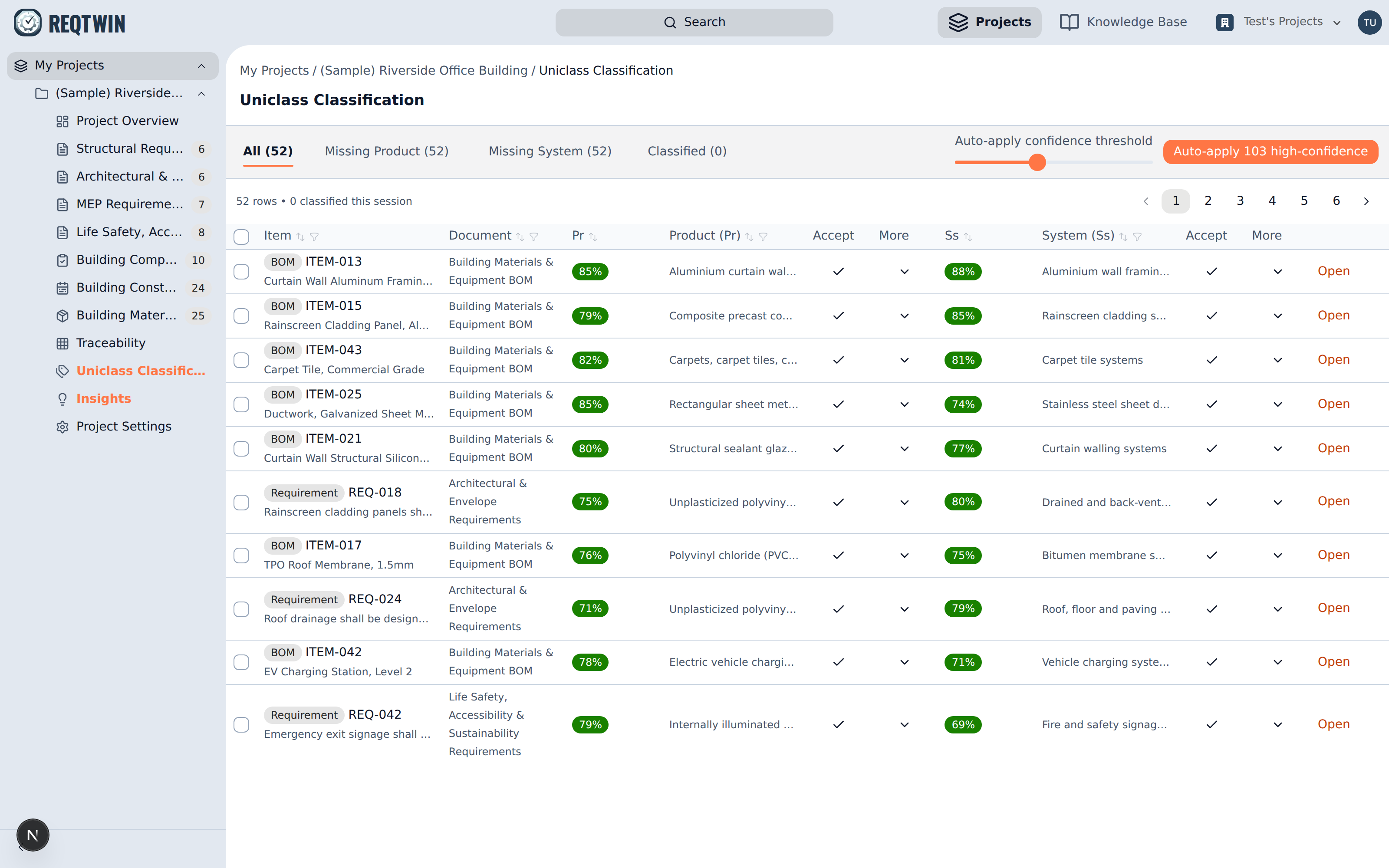
The classification table suggests a Product and a System code per row, each with a confidence percentage.
The tabs above the table filter to rows still missing a Product code, missing a System code, or already fully classified, and the Auto-apply confidence threshold slider batch-applies every suggestion above the confidence you choose, so the long tail of obvious matches doesn't need a click each.
Scope
A Uniclass Classification document covers every Requirement and BOM item across the whole project, not just one document, matching the same whole-project scope the AI Insights panel uses.
Availability
Uniclass Suggestions is a paid feature (Professional or Team plan). Without it, the Uniclass Classification page shows an upgrade prompt instead of the classification table.